Troubleshooting & FAQ
My product feed will not import
Checked against the app on October 17, 2026
What to check first when Adorn cannot import your product feed, and the problem codes that cause it.
What to check first
- In Settings, open Data sources. Under Your sources, each source shows how its last import went, and one that failed says why. Retry tries the same source again.
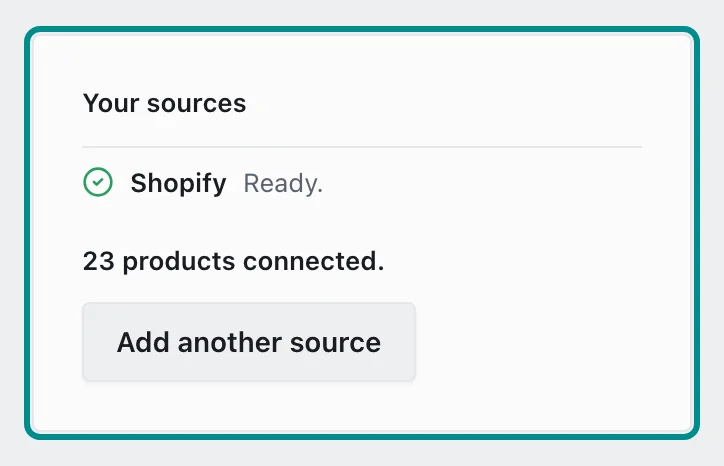
Each source's row reads how its last import went. - Open your feed's address in a browser. If it does not load, fix it where the feed is made.
- Check that the address starts with https, and that every product in the feed has the fields Adorn reads.
- In Settings, open Store health and find the Products come in row, which gives the code for what went wrong.
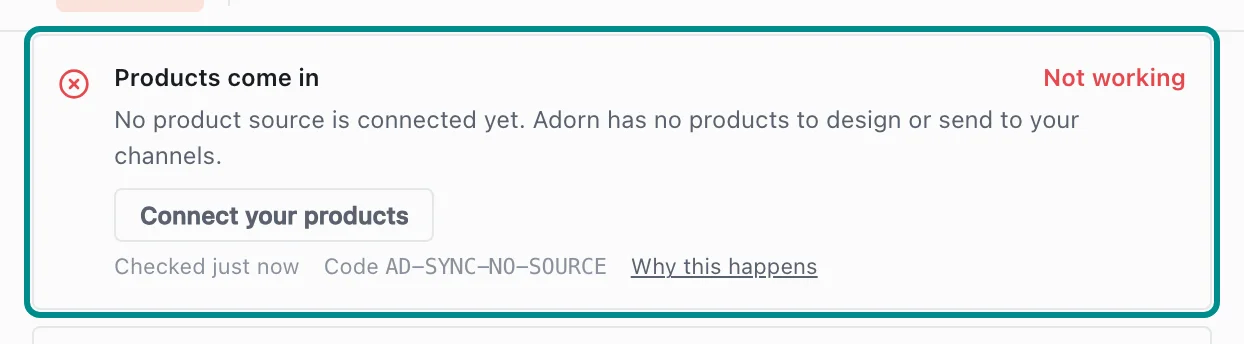
When no source is connected, the row offers the button to connect one.
Related pages
Problem codes that cause this
Adorn shows one of these codes in Store health or an alert email when it finds the cause, and each one says what to do.